The ultimate guide to Pocketable Mobile Controllers
There aren't too many of these things unfortunately
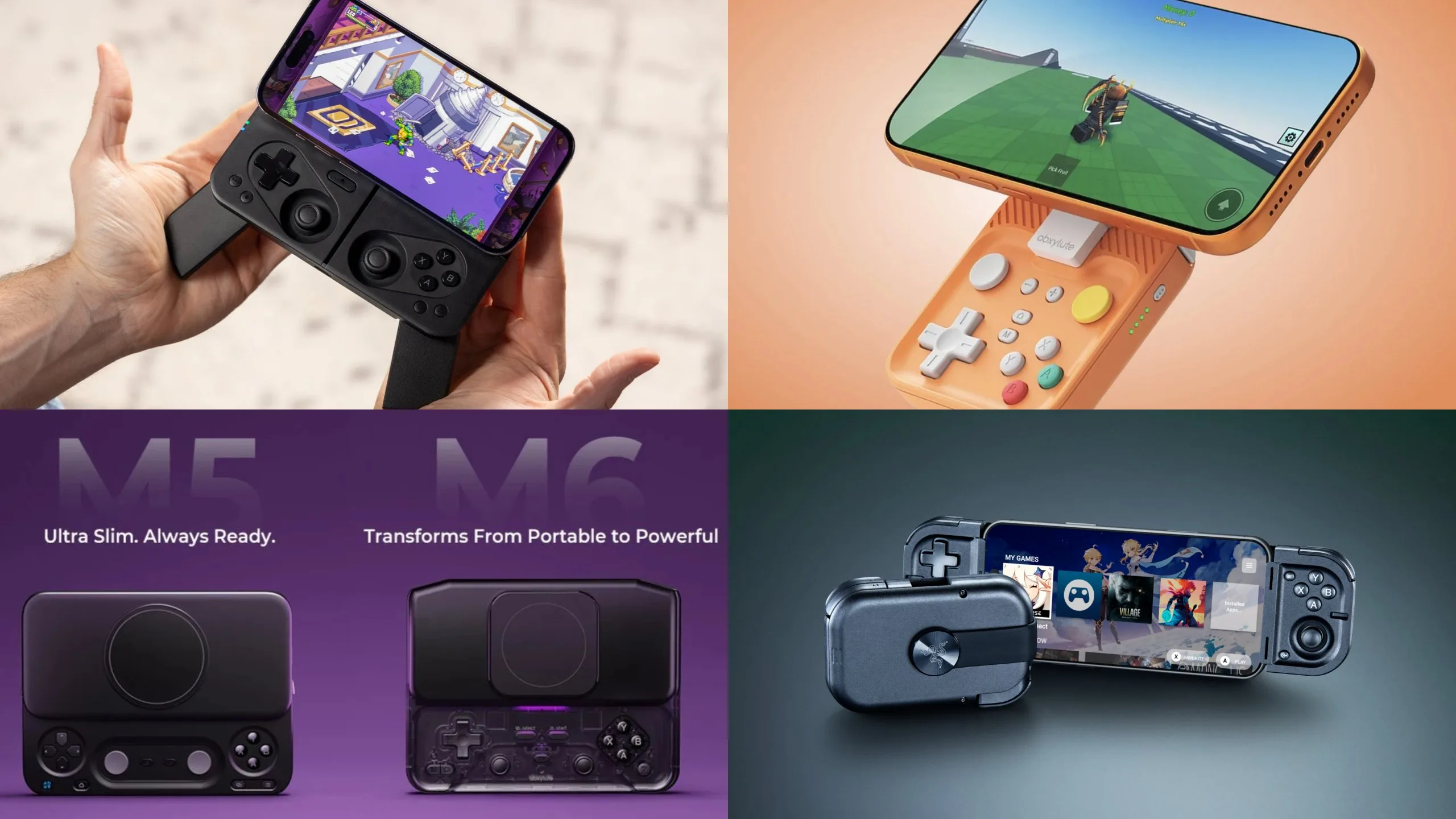
You know how the Wii known for - among plethora of other things - having a TON of accessories? The reasoning behind this was very simple: the Wii Remote is the controller with the simplest shape known to mankind. Since it's just a long rectangle, you can pop it into absolutely anything. You can probably see where I'm going with this.
A phone is incredibly similar in this regard - it's just a thin, powerful rectangle with a screen, meaning you can pop it into anything, or attach anything to it.
Over the last 2 years, companies have finally started taking advantage of this by releasing some truly innovative controllers for mobile. Some of these can stay in your pocket at all times, while others can straight up stay permanently attached to your phone, turning it into a very competent handheld.
With that said, let's catch up on what the portable controller landscape looks like right now!
1. MCON - The biggest innovation in mobile gaming controllers
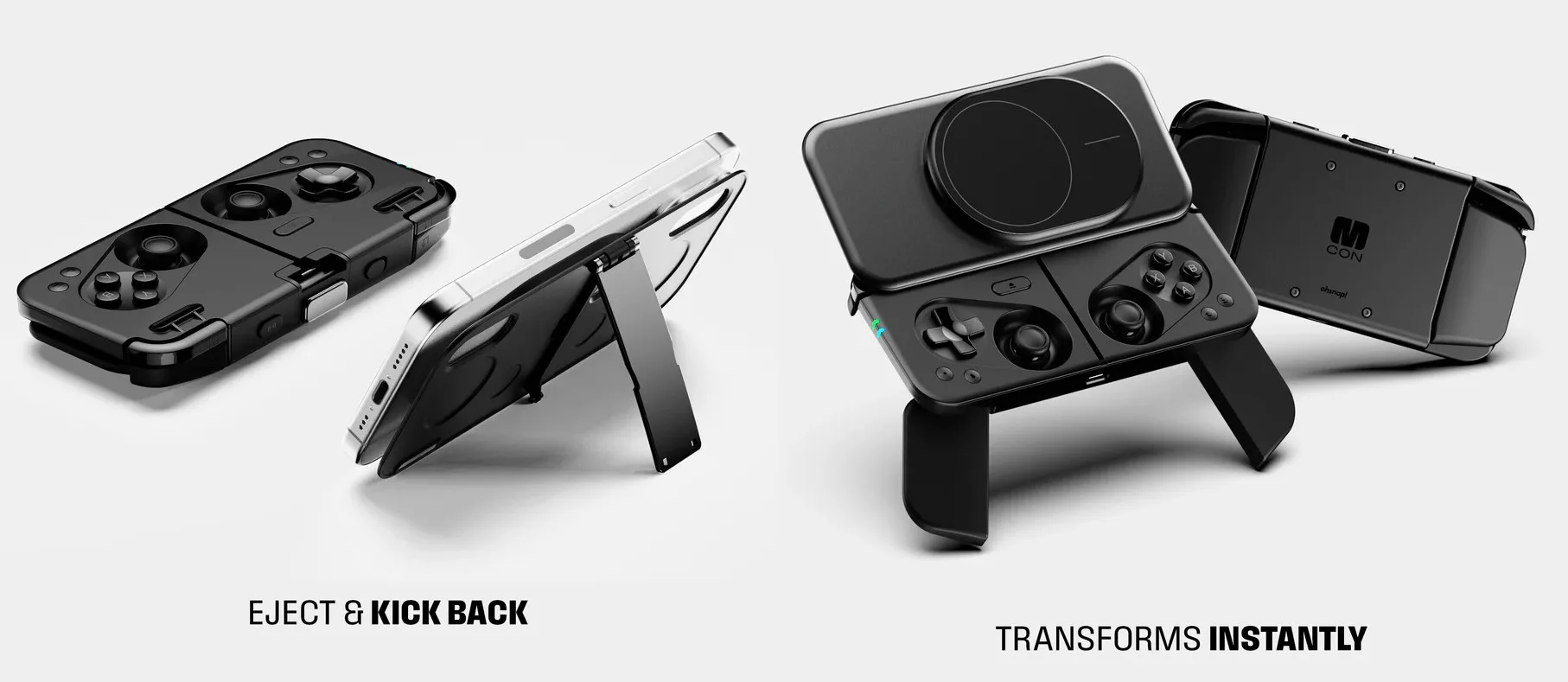
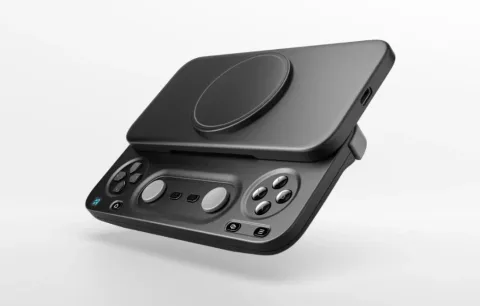
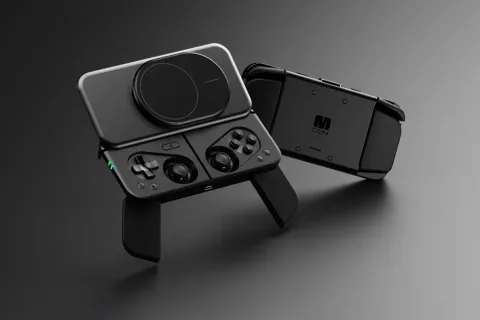
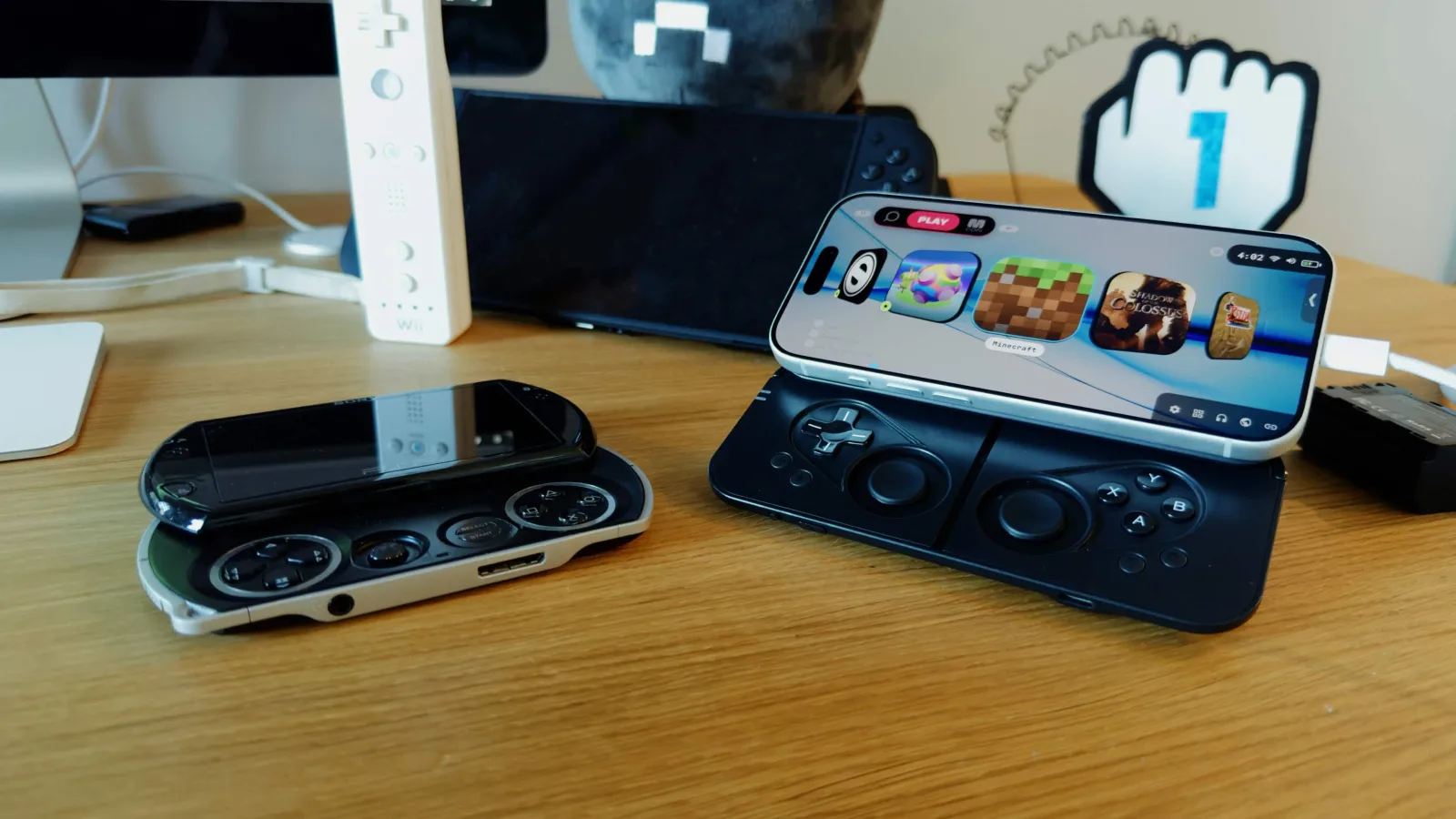
It wouldn't be an understatement to say that the MCON changed mobile gaming controllers forever, and the only thing that surprises me is that it wasn't made sooner. Released in November 2025 (for Super Early Bird backers), it's pretty much the ultimate portable controller, with every feature you could possibly need. Here's the rundown:
- Pocketable design: Attaches to the back of your phone using MagSafe or a compatible ring or case, sitting flush against it when not in use
- Quick Launch: Press a button to slide your phone out of the way and reveal the controls
- Silent buttons: You wont disturb the people around you
- Hall effect joysticks: No stick drift, massive lifespan, frictionless
- Fold-out grips: They extend from the back of the controller for a more comfortable grip
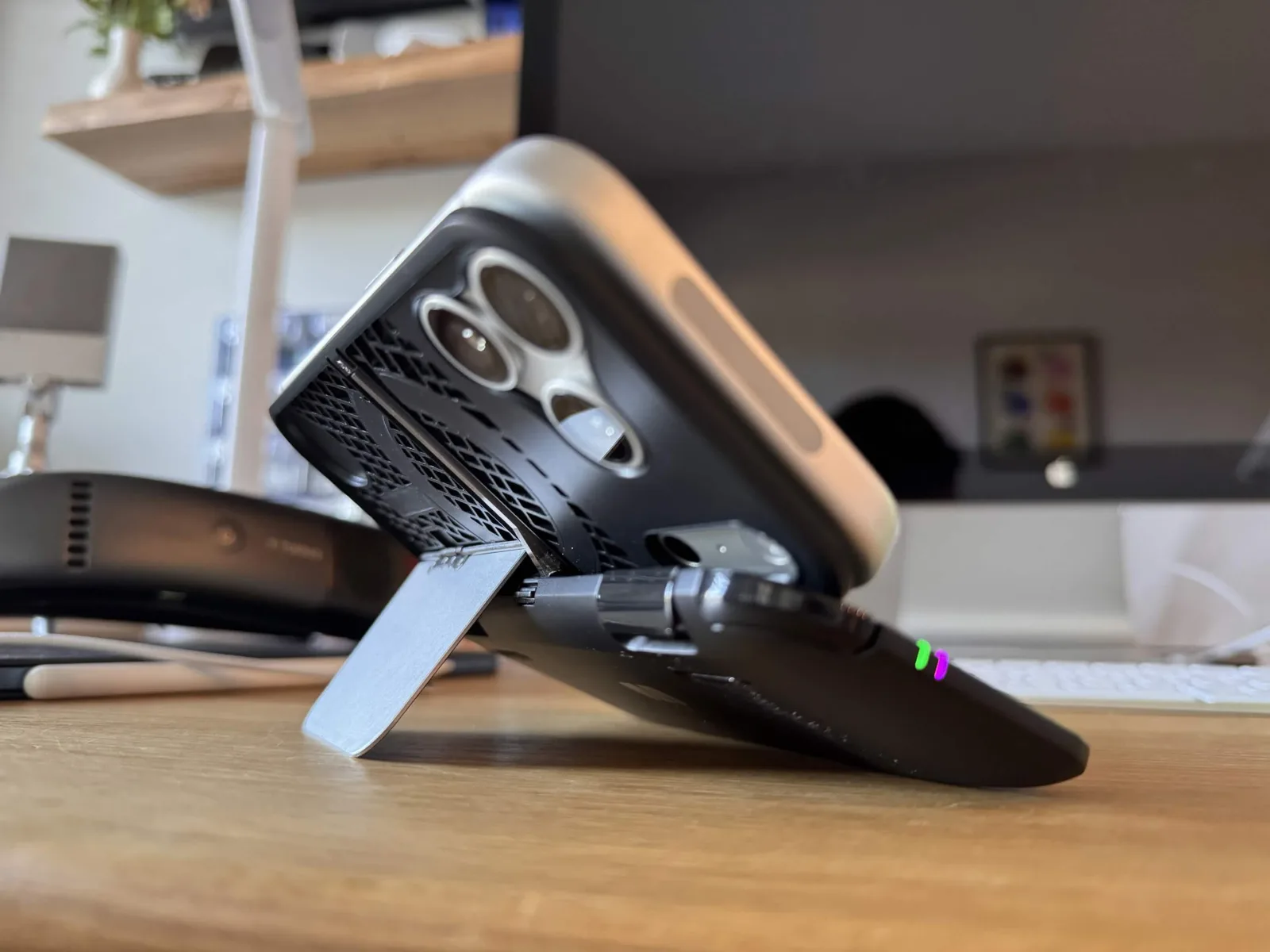
- Tabletop mode: Detach the backplate and pop out the kickstand
- Repairability and customization: If something breaks, you're not screwed!
- OhSnap MCON app: Customize or troubleshoot the controller (it's also a solid gaming frontend)
- Portrait support: It looks a bit weird, but you can play vertical games with this thing
A common complaint that's floating around is being top-heavy, but given the choice between convenience and comfort the first one always wins in my eyes (the M4 is my most used controller right now... read more about it below).
The real problem with the MCON is the price - a whopping $150! It does go on sale every once in a while, sometimes down to a much more reasonable $100, but the price is the one thing that's really preventing the MCON from taking off into the mainstream.
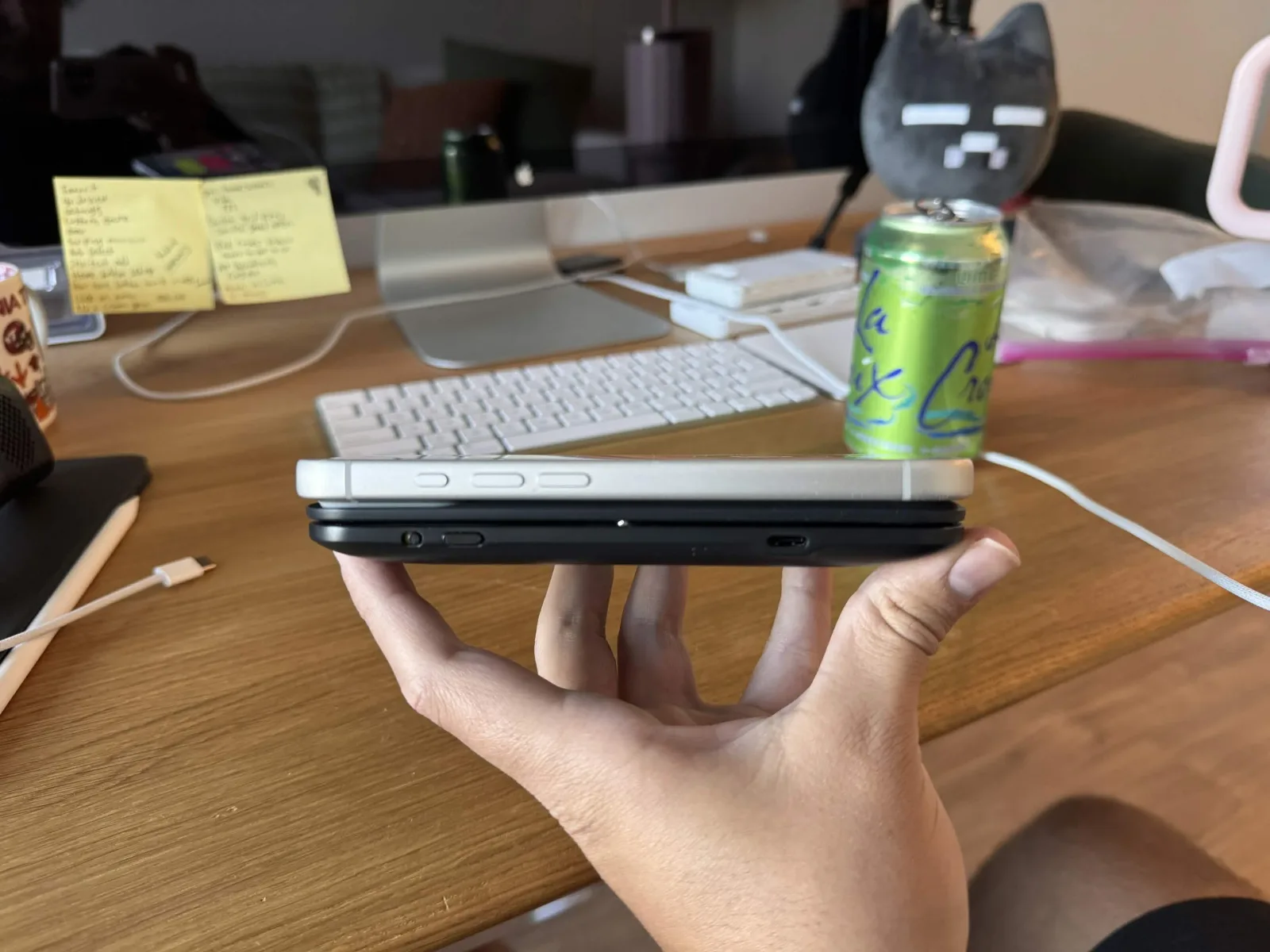
Thankfully, additional models are on the way: MCON Lite and MCON Slim. They're planned to not only be cheaper, but also a lot thinner (while sacrificing some features).
Here's the MCON Lite, with 3DS style circle pads:
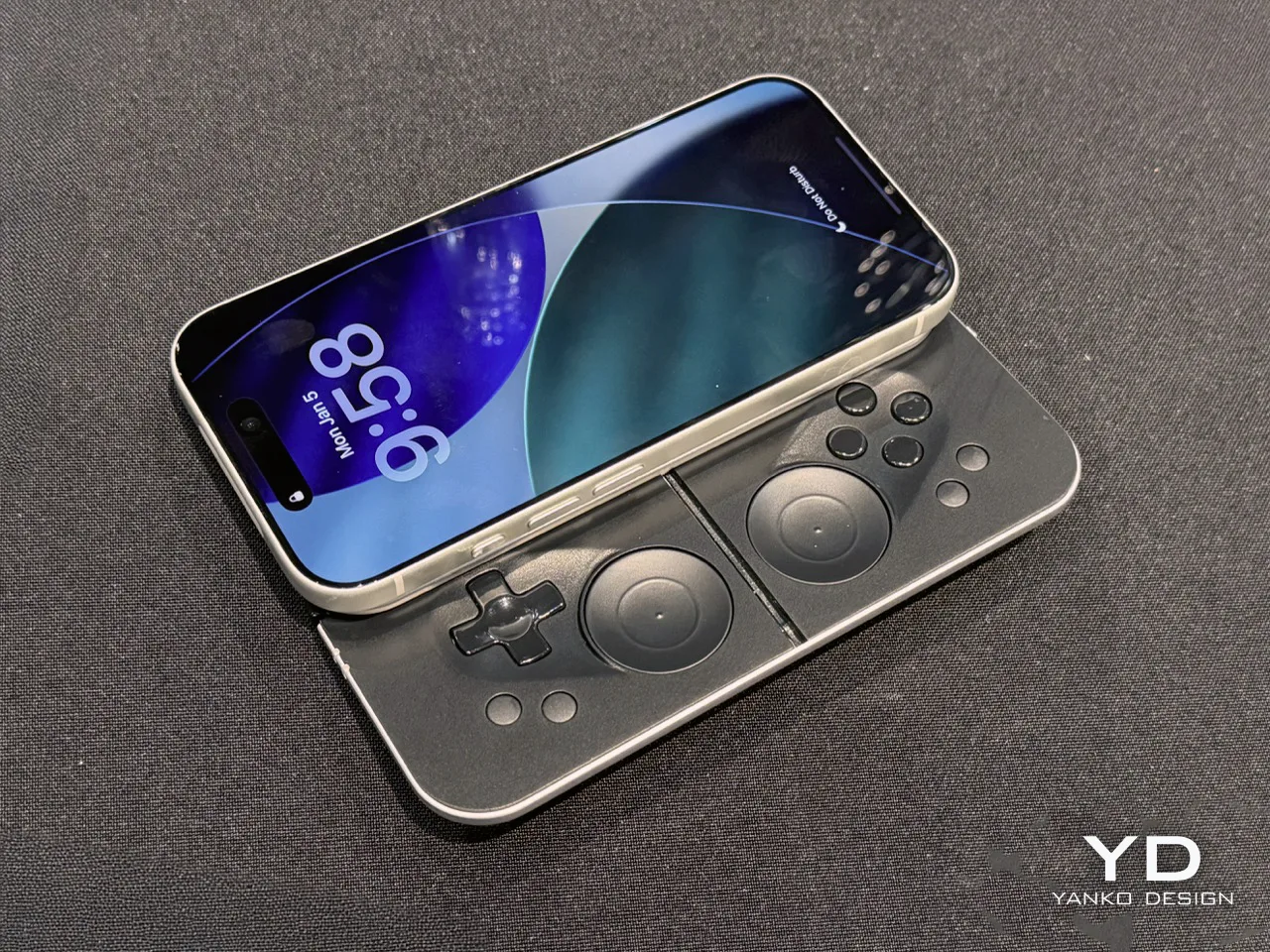
And here's the MCON Slim, which has a sort of touch sensor in place of regular sticks:
For a visual demonstration of the MCON, check out the quick start guide here.
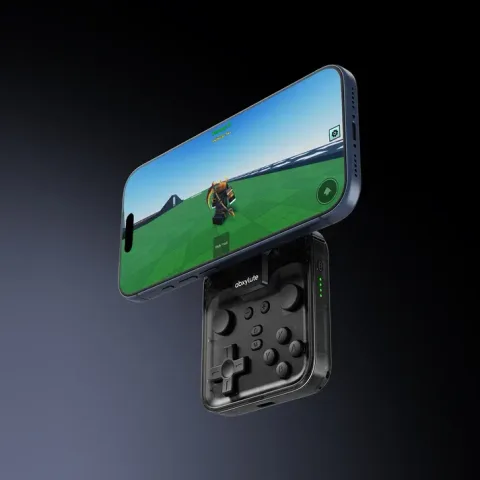
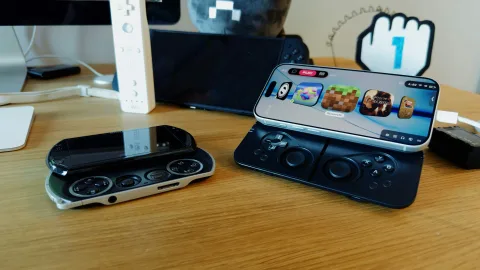
2. Abxylute M4 - Tiny, a bit dumb, but it works
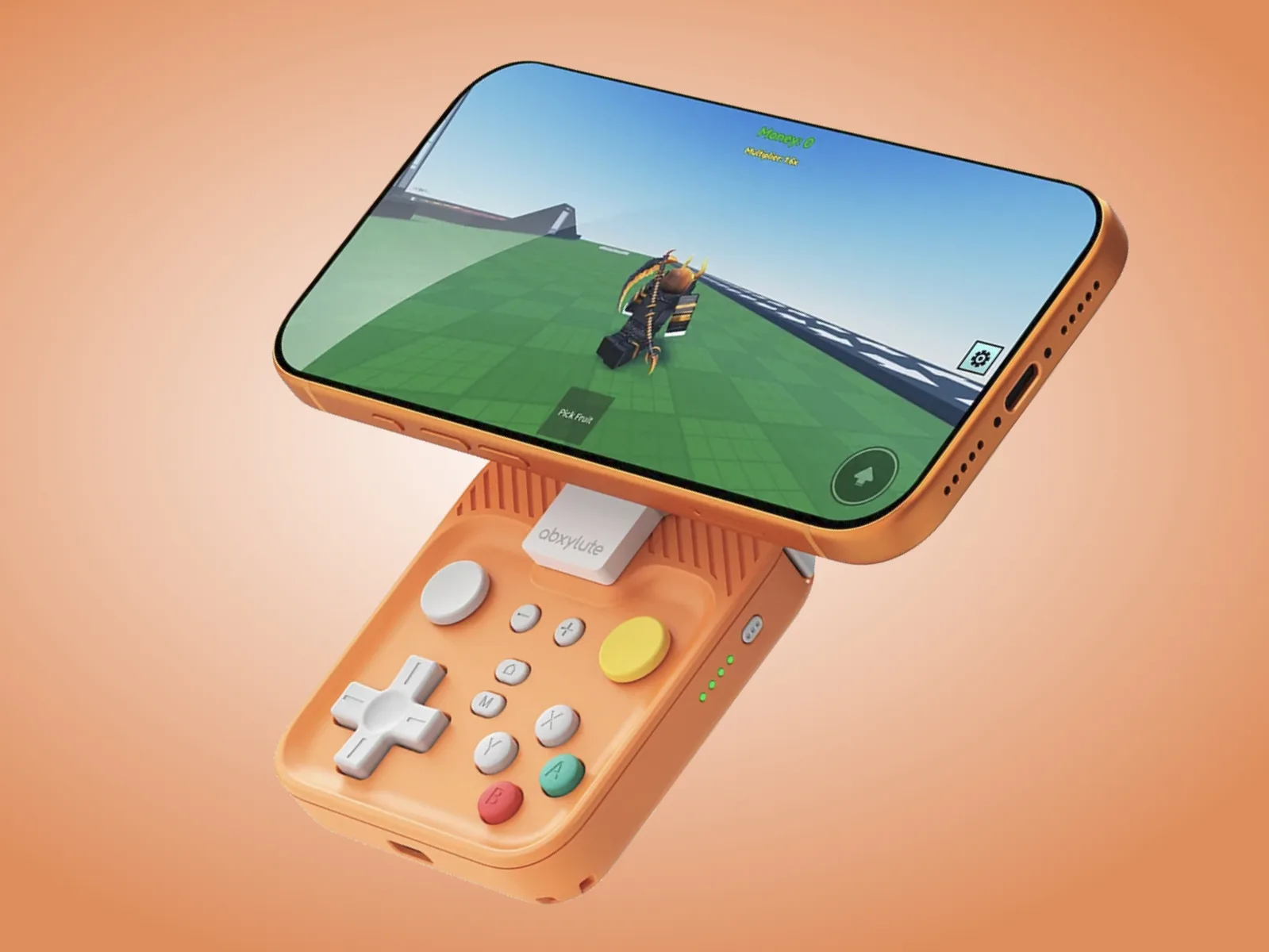
This is the controller that I have, and while very far from perfect, I've gotta say - it fulfills its role PERFECTLY. It was released in January 2026, and it really is of the cutest controllers out there, it's so tiny and fun! I can just pop it out whenever I want, which actually did lead me to gaming more frequently, just when I thought I'm forever destined to doomscrolling Twitter. After all, one of my favorite aspects of mobile gaming is convenience, and this controller really proved that for me. Feature list:
- Pocketable design: Attaches to the back of your phone using MagSafe or a compatible ring or case, sitting kind of flush against it when not in use (it covers only the bottom half of the phone)
- Silent buttons: You wont disturb the people around you... unless you want to use the triggers, those are louder
- Affordable: About $54.99 MSRP
- Ring-shaped kickstand: Genuinely phenomenal. You can make your phone stay put at all kinds of angles, in portrait or landscape, or even hang it on something!
But it's not all sunshine and rainbows. The sticks aren't great at all, which isn't a big surprise, but at the same time it feels like their range of motion is too limited. The triggers are too loud, but the biggest issue is with holding down buttons. Let's say I'm holding down the X button - a very slight movement of my thumb has a chance at repressing the button, leading to me for example throwing an enemy I was holding in Super Mario Bros. 2, which isn't super fun. This could be a manufacturing defect with my unit, I'm gonna have to contact abxylute to know for sure, but point is - there are issues.
However, I wouldn't say comfort is one them. By that I don't mean the controller is very comfortable - far from it - but at the same time, how much can you really expect from a small square? Plus for the most part I find myself being able to figure out a pretty solid grip, and once I get immersed in whatever game I'm playing (currently it's Super Mario Bros. 3), it's not an issue.
If you want to see the controller in action, here's the official showcase.
3. Abxylute M5 & M6 - The MCON competitors
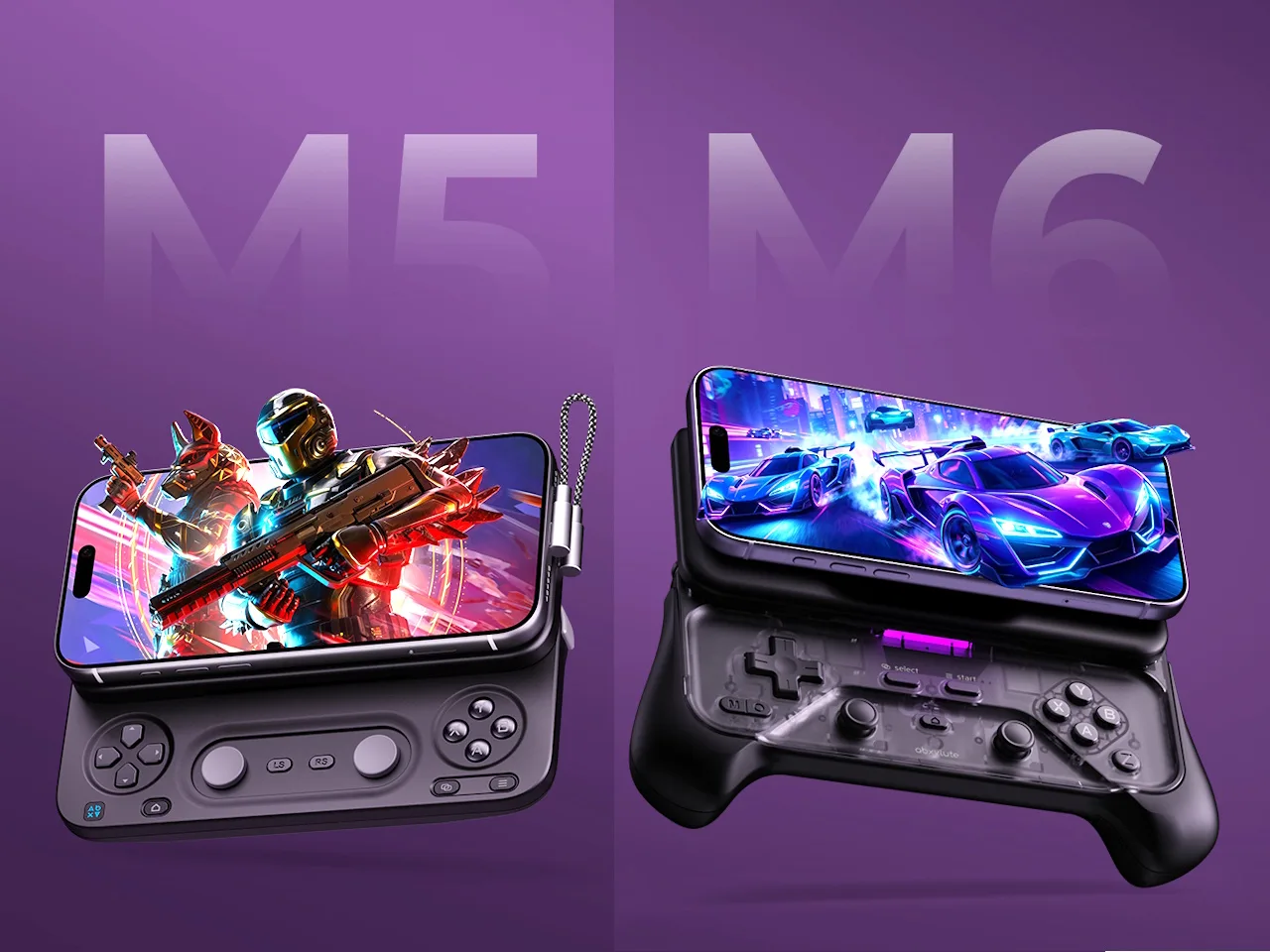
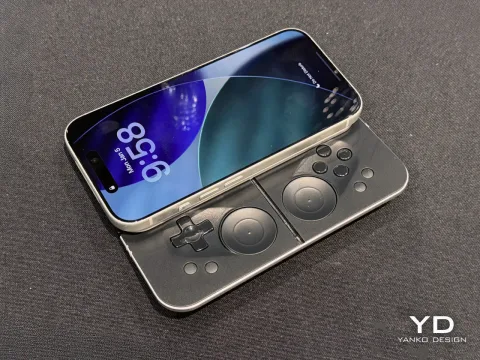
Seems like abxylute saw the buzz around the MCON and decided they wanted a piece. The M5 and M6 have the same core idea, but with a couple of differences - kind of like MCON and MCON Lite. Let's break them down:
- Pocketable design: Attaches to the back of your phone using MagSafe or a compatible ring or case, sitting flush against it when not in use. M5 is slimmer with circle pads, M6 larger with full sticks.
- Connection: M5 - Wired via a tiny USB-C cable. M6 - Bluetooth
- Sliding Mechanism: Bidirectional damped rail, whatever that means
- Grips: Better ergonomics than MCON, but they're sold separately which kind of defeats the purpose - they're not permanently attached
- Function buttons: M5 - 3 Standard + 2 Customizable. M6 - 3 Standard + 1 Customizable
- Vibration: Dual Z-Axis linear motors, 4 levels to choose from via "abxy game" app
- Virtual touch mapping: map on-screen buttons to controller inputs via "abxy game" app
- Macro programming support
- Affordable: M5 - $84.99 MSRP, M6 - $89.99 MSRP
These controllers aren't out yet, and their Kickstarter campaign is available here. The primary reason to get one of these would be to get functionality similar to the MCON at a much lower base price, if you're willing to sacrifice a few features like the kickstand. That's why I personally backed the Kickstarter and pre-ordered the M6, and not to brag but that means I'm getting this thing for just $55. Now that is a deal.
Check out how these look in the official showcase video here.
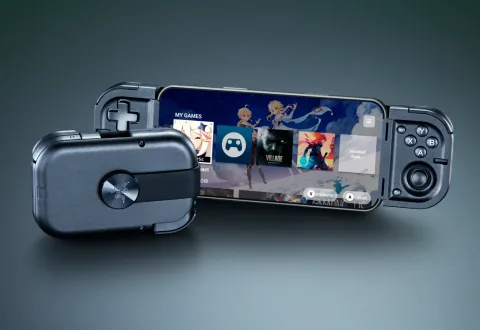
4. Razer Prio - The only pocketable telescopic controller
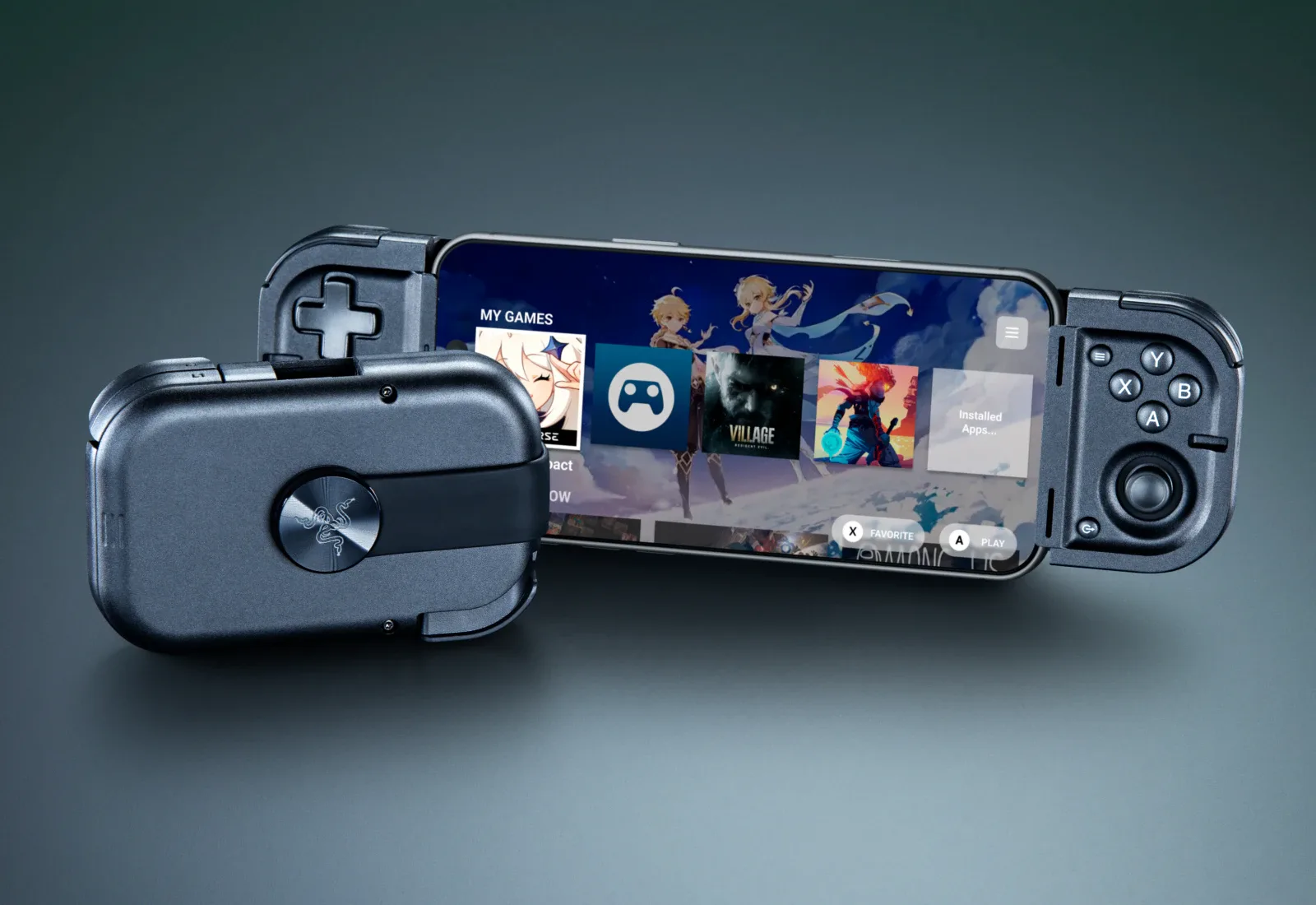
This thing is seriously cool - when folded up it's smaller than a wallet, but then if you twist it open it turns into a full telescopic controller! Unfortunately this does mean you have to carry a second device in your pocket, but it's better than nothing. Also it was released on September 1, 2026. Here's some more details:
- Pocketable design: Folds into a little rectangle
- Silent tactile buttons: You wont disturb the people around you
- Thumbsticks: Ultra-accurate capacitive and drift-resistant
- Supported phone dimensions: Up to 7 inches
- 4 multi-function buttons
- Connection: USB-C, no charging needed
But at the end of the day it is just a telescopic controller, so there isn't much I can say about it. The price is $99.99, which is a bit steep considering you can get an M6 for less (sometimes the MCON is on sale for that price too).
Feel free to check out the official trailer!
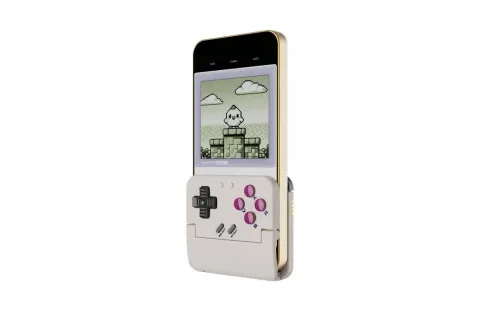
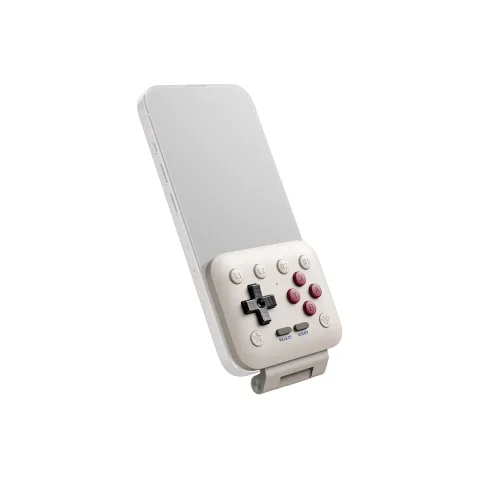
5. 8BitDo FlipPad & GameSir Pocket Taco - Two takes on a Game Boy inspired controller
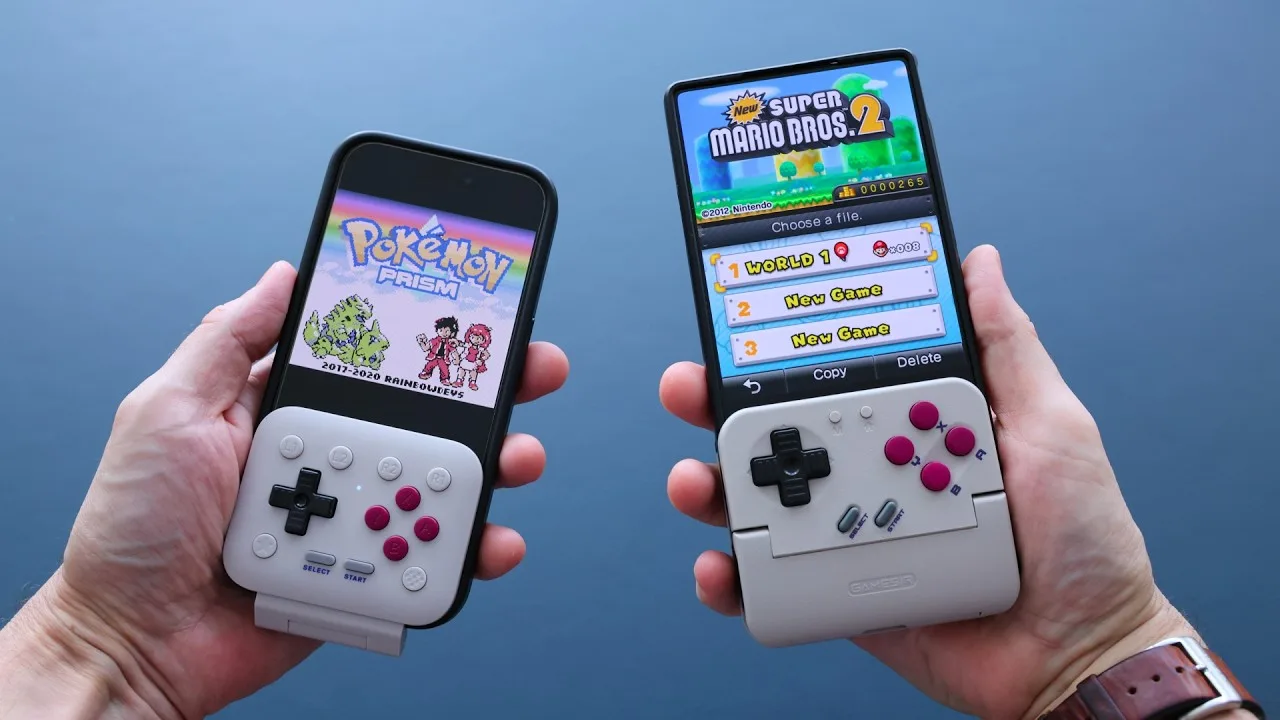
These controllers are very unique - they're trying to mimic the feel of a Game Boy, which means that they are also made with portrait orientation in mind instead of landscape like all the other controllers. Coincidentally both of these were revealed at CES in January 2026, so you can't really accuse either company of copying the other one. Feature list:
- Pocketable design: Both easily fit in your pocket, but the FlipPad can theoretically be always attached to your phone, since you can rotate it out of the way in order to get access to the entire screen
- Connectivity: FlipPad is USB-C, Pocket Taco is Bluetooth
- Software: Pocket Taco is cutomizable via the GameSir app, FlipPad not so much
- Affordable: FlipPad is $30 MSRP, Pocket Taco is $35 MSRP
There's not much to say beyond that, as both of these are pretty basic controllers. For a more serious comparison, I'd recommend to check out this video by Retro Game Corps.
6. PuK Accessories - The best setup for shooter games
Note: MGN is a PuK affiliate, which means we earn a commission from qualifying purchases. However, the information below is my personal opinion.
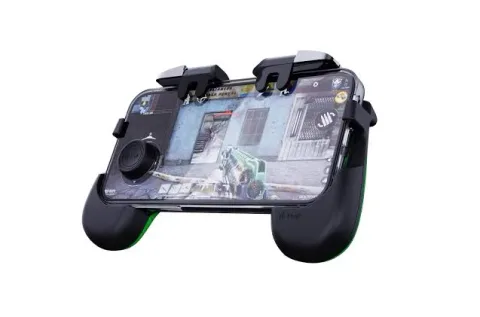
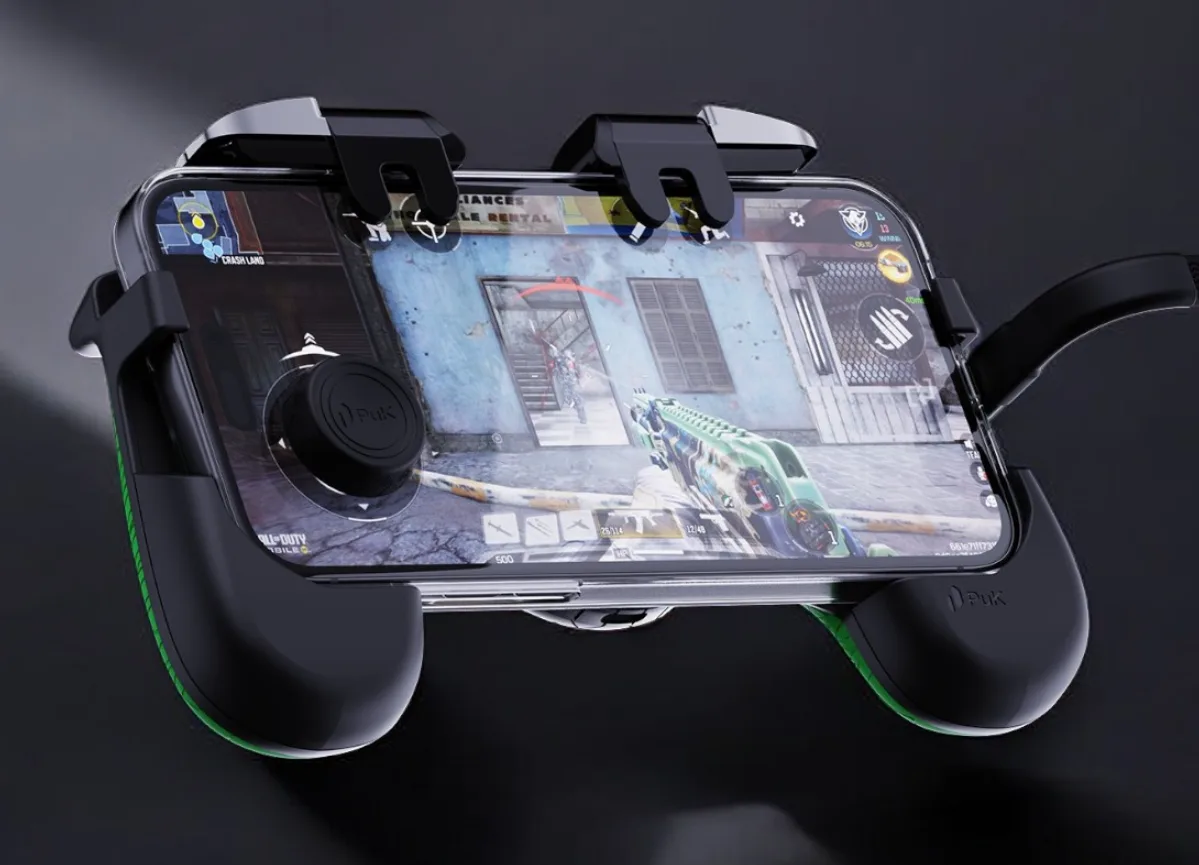
I absolutely adore the PuK Gaming accessories. They were released in January 2025, and their purpose is to make touchscreen games easier to control - and I can confirm they do that. Here's the full list:
- Triggers: They attach to the top of your phone, giving you the ability to turn 4 on-screen inputs into physical buttons that feel (and sound) like a mouse click. I'd say this is the best accessory PuK has to offer
- Grips: They stick to a phone case permanently, giving your phone a handheld grip
- Thumbstick: One circle-shaped part sticks to the back of your phone, then you put the thumbstick on the other side, which connects them together since they're magnetic. This way, you have a physical control stick
- Link Cable: A high-speed charging + data cable that's angled 90 degrees, which gives space for your hand
- Finger Sleeves: They're made from an ultra-light, breathable performance fabric, reducing friction and managing sweat
- Zip Case: Tiny, pocketable case that fits 2 triggers, the thumbstick and thumb sleeves
My 10 year old brother likes playing Roblox Rivals, but only on PC, and he was always terrible on touchscreen. But recently he tried out the Triggers, and he was instantly able to play the game properly. If that isn't enough proof that this works, I don't know what is.
Now I am someone who can actually play mobile shooters without any accessories thanks to my mastery of the 4-finger claw grip, but it's just not comfortable at all. These Triggers change that completely and I really don't want to play mobile shooters without them.
As a side note, this setup is in my opinion the BEST way of playing shooters on the go. I think playing shooters with a controller is not a very good experience. Having to rotate the entire device around to take advantage of motion controls also seems quite terrible. This setup is basically the closest you can get to keyboard and mouse portably, and it works so well.
If you want to check these out, consider using our affiliate link to get 10% off! The PuK One Bundle, which includes the Triggers, Grips and Thumbstick, goes for €33,95.
We have a video about these things on our YouTube channel - check it out here!
And that's about it!
It's kind of crazy how literally none of these controllers were available before 2025. That year was absolutely incredible for mobile gaming, not just hardware-wise but also because of rapid PC emulation growth, great game releases... It's just a great time to be a mobile gamer right now. Playing the greatest games on your phone - which you already carry around everywhere - with a controller always attached to it. Now that is awesome.
Do you use any of these controllers? Let us know on our Discord!
Programs in this story

Hardware in this story